
| Today |
| Workshops |
| Audio/Video |
| Electronics |
| Carputer |
| Misc |
| Other Garages |
| Contact Us |
| RainyDayGarage... |
||
As we did the virtual walk-through of the typical tasks of a carputer user, we realized the need to minimize the use of keyboard and pointing devices for command inputs. Further simulation of the user experience clearly showed a touchscreen to be a requirement than an option for this project.
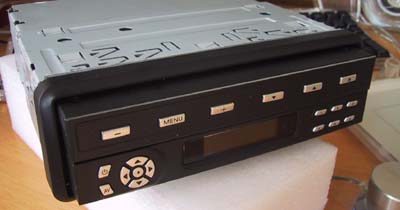
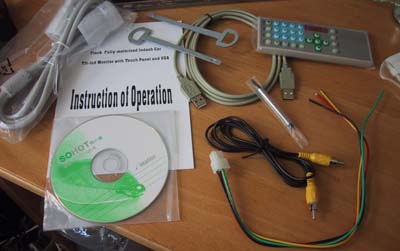
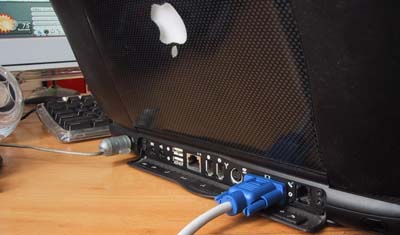
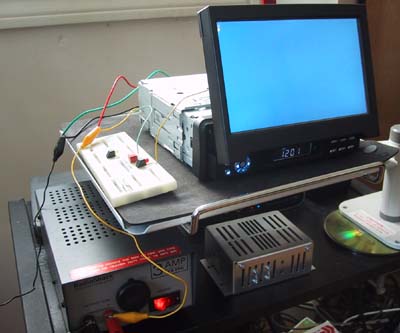
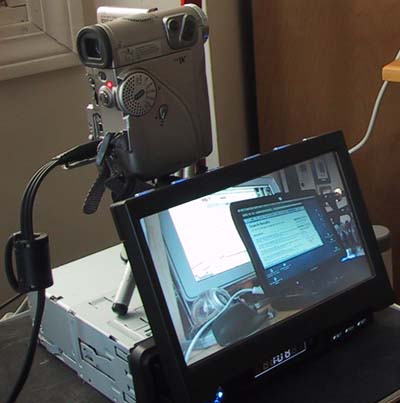
We searched for a while and finally settled on Digital Worldwide's 700M Motorized In-dash LCD screen for our Boxster Carputer Project. The package comes complete with VGA/VGA cable, USB cable, RCA video cable, remote, power plug, instruction book, and driver software for Mac/Windows. To exercise the various features of the unit, we set up a test bench with the following: 1. DV video camera 2. Apple laptop with VGA output 3. 12 V DC power supply 4. Misc clips, wires, cables (VGA/VGA, RCA)
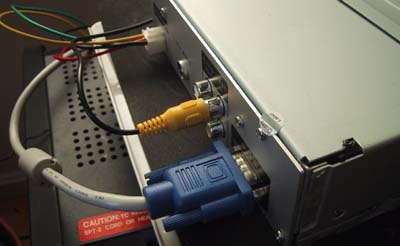
Hooking up the 12 volt DC power supply, video in, and VGA cable to the LCD screen was straightforward. All of the ports in the rear of the unit are clearly labeled.
Once the power supply was hooked up, the unit's screen opened at the push of a button. The action of the motorized transport was pretty quiet and the LCD sled's action was smooth.
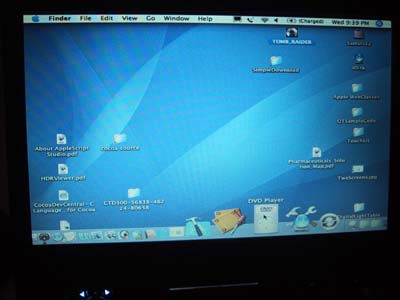
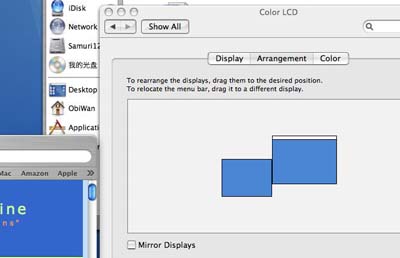
The Porsche Boxster Carputer project will be using a Mac Mini in the installation. Power regulation will be via Carnetix's awesome CNX P1900. However, we thought it would be easier to use the Apple G3 laptop for testing since it has a display. Setting up a multi-screen environment using the Macintosh has always been easy (had been since 1987) and doing it in OS X Tiger was no exception.
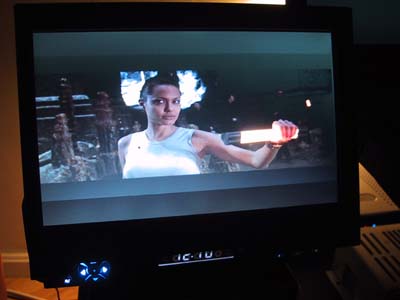
We ran through various video source tests (NTSC/VGA) and everything worked flawlessly.
We'll add more to this segment as we continue to try different features of the screen. As a first look, this screen was everything we had hoped. We are looking forward to getting this into the Boxster! We'll be installing the touchscreen drivers today. The iListen voice interface will be installed this weekend. |
Carputer Screen Test |
|
When we got the LCD screen for the Boxster project, we needed to test it with a variety of input signals. We thought it would be useful to document the process and share it with our RainyDayGarage readers! You are welcome to follow along on this project as we go from Design to Installation. The Touchscreen portion of this Carputer project is divided into: The CPU segment of this Carputer project are divided into:
Project Summary: Screen Test 1. Difficulty - Easy 2. Time - 20 min (setup), 2 hrs (test) 3. Tools - DC power supply, clips, video source, laptop w/ VGA out, VGA cable. 4. Cost - DC power supply: $50
|
||
 The
The