
| Today |
| Workshops |
| Audio/Video |
| Electronics |
| Carputer |
| Misc |
| Other Garages |
| Contact Us |
| RainyDayGarage... |
||
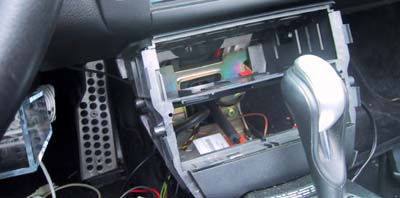
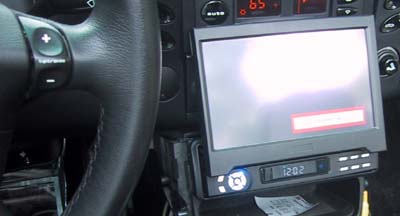
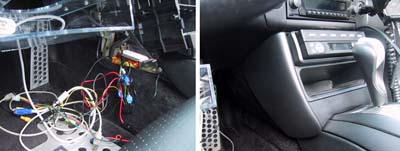
After much testing on the bench, we finally installed all we need on the Mac mini. We felt we had done all the testing we needed using the actual DWW 700 LCD monitor. It was time to put it in the Boxster. As we did with other projects (ipod install, radar detector install, speakers install) that muck with the Boxster's central console, the first thing is to remove all the side panels so we can access the wiring.
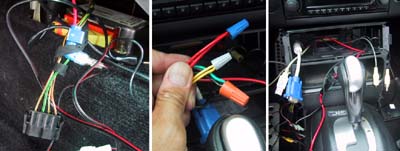
Once we had our hands on the Boxster's 4 wire connector, we were ready to hook everything up.
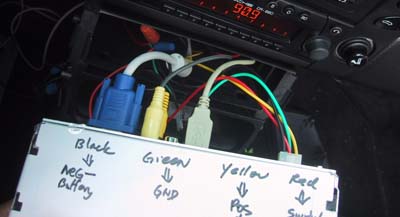
The Boxster wire cluster had the following: red w/green=12V +, green w/black=ignition, yellow w/black trigger=radio mute, brown=ground.
Just to make things clear for ourselves, we wrote eveything on the back of the LCD unit.
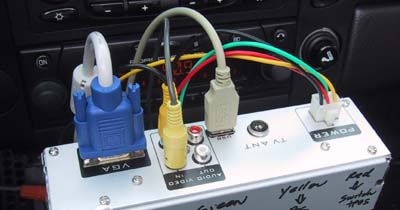
We ran all the cable (VGA in, two video in, USB, four power wires) out of the central console to the rear of the LCD unit. We tested the unit to make sure it was able to power on. Once we had that, we knew it would work just fine when the CPU is installed.
The last thing to do was to hide all the messy wiring, replace the side panels, and make things nice and tidy again. The installation looked pretty clean once all the panels were replaced :-) |
Carputer LCD Screen Installation |
|
When we got the LCD screen for the Boxster project, we needed to test it with a variety of input signals. We thought it would be useful to document the process and share it with our RainyDayGarage readers! You are welcome to follow along on this project as we go from Design to Installation. The Touchscreen portion of this Carputer project is divided into: The CPU segment of this Carputer project are divided into:
Project Summary: Screen Install 1. Difficulty - Medium 2. Time - 1hr (setup), 10 min (test) 3. Tools - power screwdriver, CPU w/ VGA out, VGA cable. 4. Cost - $10 (power tap clips, misc Radio Shack parts)
|
||